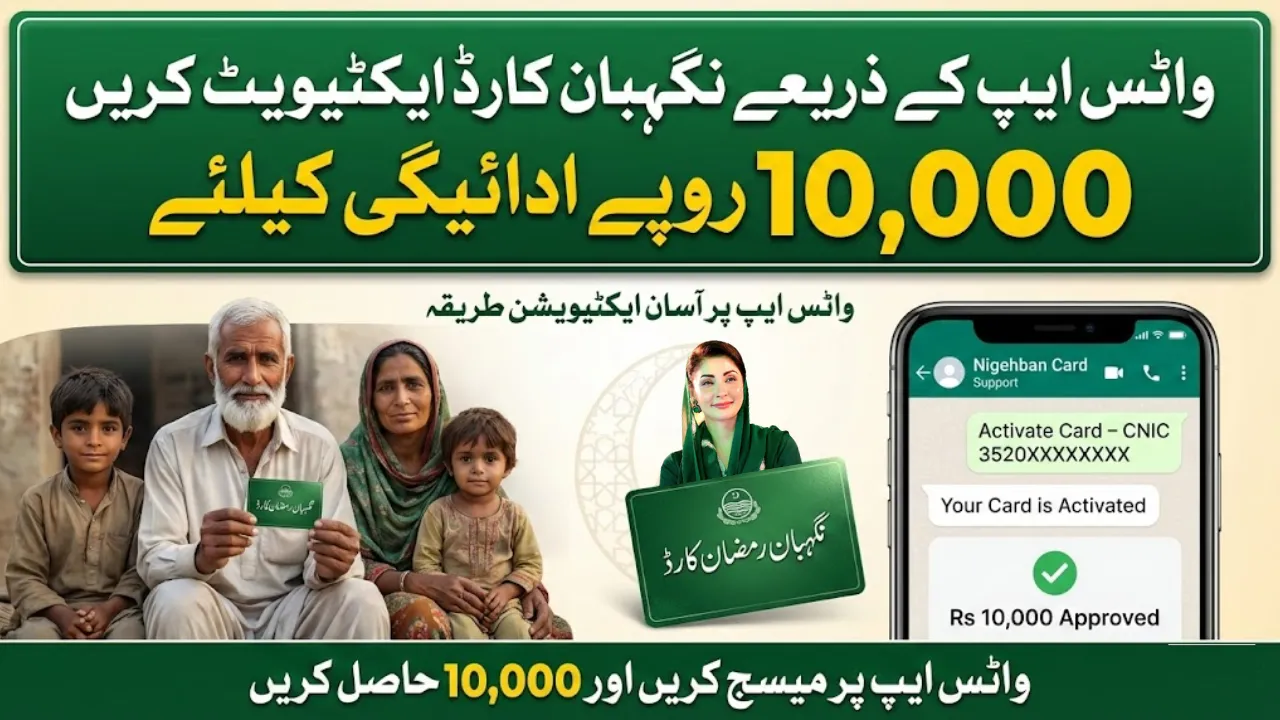
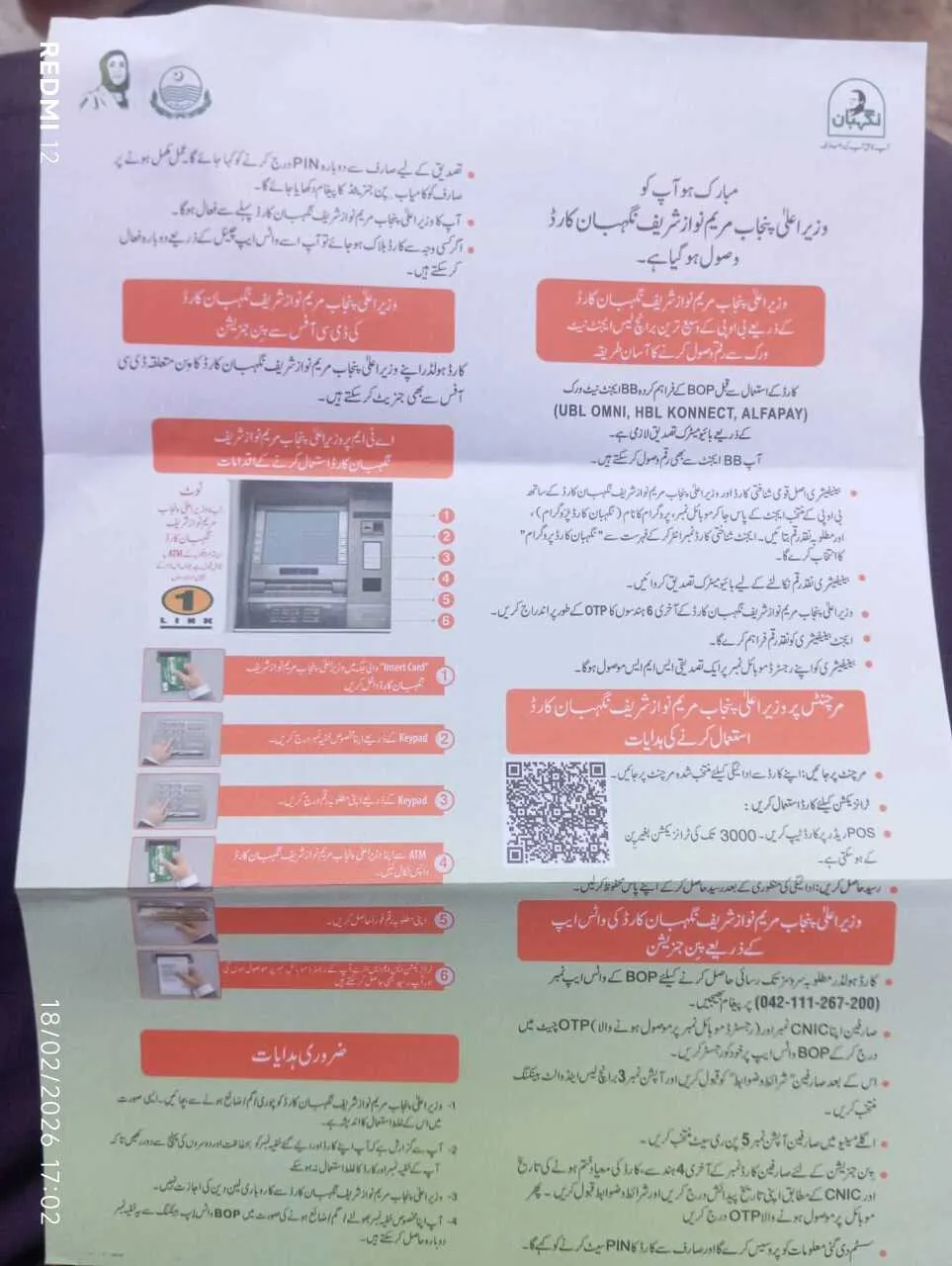
The Ramadan Nigehban Card is a special financial assistance initiative introduced by the Government of Punjab to support deserving families during Ramadan. Eligible beneficiaries receive Rs10,000 assistance, which can be accessed after activating the card properly.
This guide explains the complete, updated, and easy method to activate your Ramadan Nigehban Card via WhatsApp safely and correctly.
What is the Ramadan Nigehban Card?
The Ramadan Nigehban Card is a relief support card issued to eligible households in Punjab. It allows beneficiaries to withdraw Rs10,000 or use it for essential purchases through ATM or POS machines.

The card must be activated by setting or resetting a PIN before usage.
Why Activation is Necessary
Without PIN activation, the card cannot be used at:
-
ATM machines for cash withdrawal
-
Merchant POS machines for shopping
-
Branchless banking services
Activation ensures security and protects your financial assistance.
پی ایم رمضان ریلیف پیکج 13,000 کے لیے شناختی کارڈ کے ذریعے اسٹیٹس/اہلیت چیک کریں۔

Official Method to Activate via WhatsApp
The safest and fastest method is through Bank of Punjab (BOP) WhatsApp Banking service.
Step 1: Save Official WhatsApp Number
Save the official BOP WhatsApp number:
042-111-267-200
Open WhatsApp and send a simple message like “Hi”.
Step 2: Register Yourself
You will be asked to:
-
Enter your CNIC number
-
Enter the OTP received on your registered mobile number
This confirms your identity.
Step 3: Accept Terms & Conditions
Carefully read and accept the terms before proceeding.
Step 4: Select Card / Branchless Banking Option
From the menu:
-
Select Branchless or Card Banking
-
Choose PIN Reset / PIN Generation option
Step 5: Enter Required Card Details
Provide the following:
| Required Information | Details to Enter |
|---|---|
| Card Last 4 Digits | Last four numbers printed on card |
| Card Expiry Date | Month & Year |
| Date of Birth | As per CNIC |
| OTP | Received on registered mobile |
After verification, you will be asked to set a new 4-digit PIN۔
How to Set a Secure PIN
-
Choose a unique 4-digit number
-
Avoid using your birth year
-
Do not share your PIN with anyone
Re-enter the PIN for confirmation. You will receive a success message after activation.

How to Use the Card at ATM
Once activated:
-
Insert the card into ATM
-
Enter your 4-digit PIN
-
Select withdrawal option
-
Enter desired amount
-
Collect cash and receipt
Using the Card at Shops (POS Machines)
-
Visit an authorized merchant
-
Tap or insert your card
-
Transactions up to Rs3,000 may not require PIN
-
Collect payment receipt
If Your Card Gets Blocked
If the card is blocked due to incorrect PIN attempts:
-
Use the same WhatsApp method
-
Select PIN Reset
-
Complete OTP verification
Your card will be reactivated.
Important Security Instructions
-
Never share OTP with anyone
-
Do not disclose your PIN
-
Keep the card in a safe place
-
Government representatives never ask for your PIN
Eligibility Reminder
Only officially approved beneficiaries can activate and use the Ramadan Nigehban Card. If you have not received confirmation from authorities, your card may not work.

Common Issues and Solutions
| Problem | Solution |
|---|---|
| OTP not received | Check registered SIM |
| PIN not accepted | Reset via WhatsApp |
| Card declined at ATM | Confirm activation status |
| Mobile number changed | Visit nearest support office |
Benefits of WhatsApp Activation
-
No need to visit office
-
24/7 availability
-
Secure OTP verification
-
Fast PIN generation
Can I activate the card without WhatsApp?
Currently, WhatsApp banking is the easiest and officially recommended method.
Is there any activation fee?
No, activation is completely free.
Can I withdraw full Rs10,000 at once?
Yes, depending on ATM limits.
What if I forget my PIN?
You can reset it again through the WhatsApp method.
Is the card usable outside Punjab?
Usage policies may vary depending on the issuing authority.
Final Words
Activating your Ramadan Nigehban Card via WhatsApp is a secure and convenient process. By following the official steps carefully, you can access your Rs10,000 assistance without visiting any office. Always use verified channels and protect your personal information to avoid fraud.
This guide is created to provide clear, accurate, and helpful information for beneficiaries seeking a smooth activation process.